❓ FAQ
1. Keyboard Display Keeps Showing
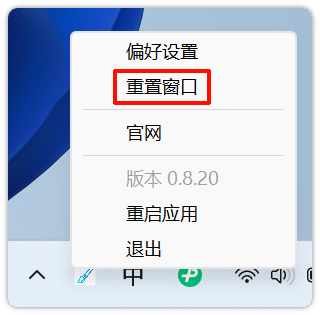
In some scenarios, the system cannot capture keyboard release events. You can solve this by right-clicking the tray icon > Reset Windows.

2. Click Effects Not Showing
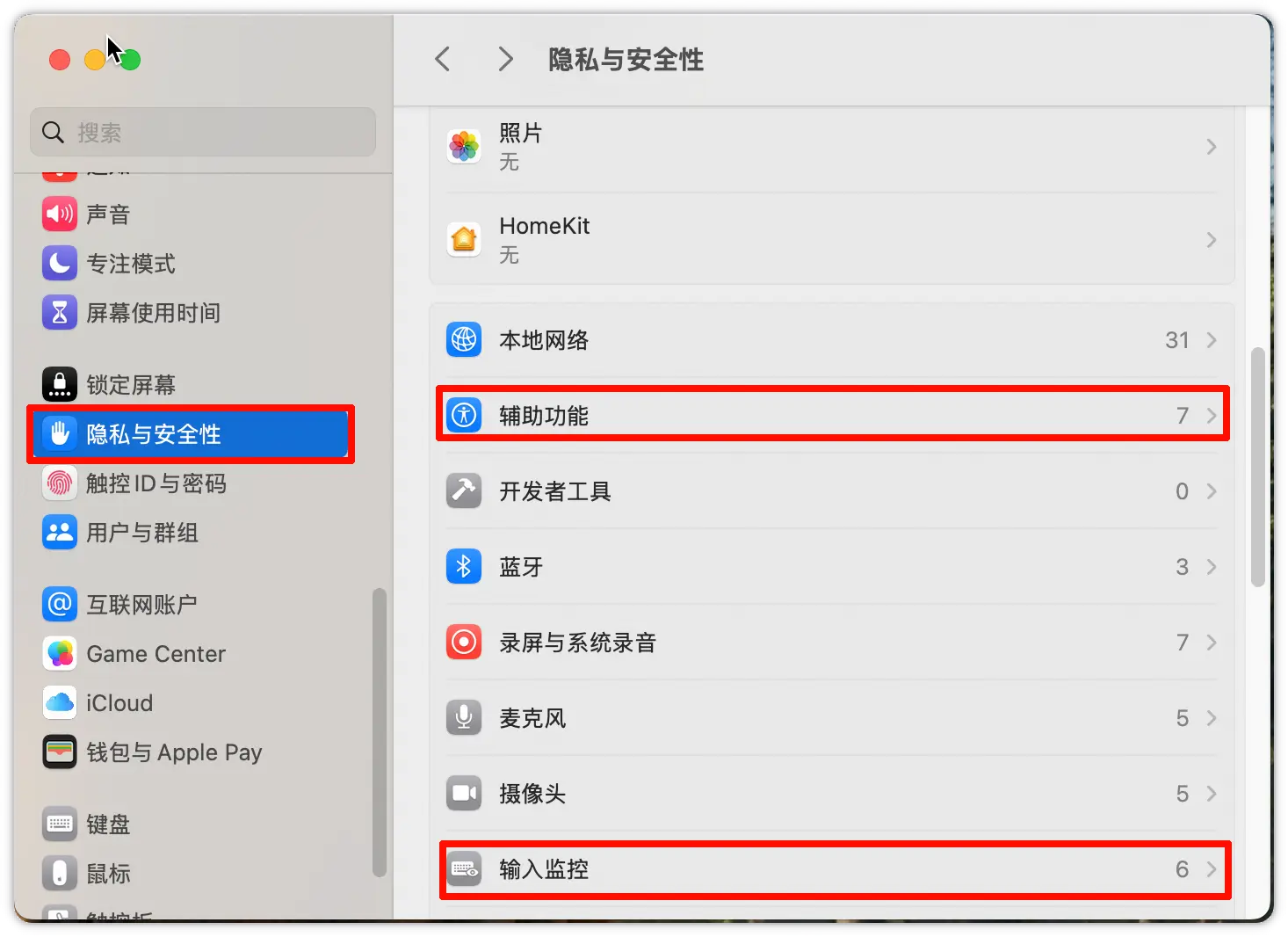
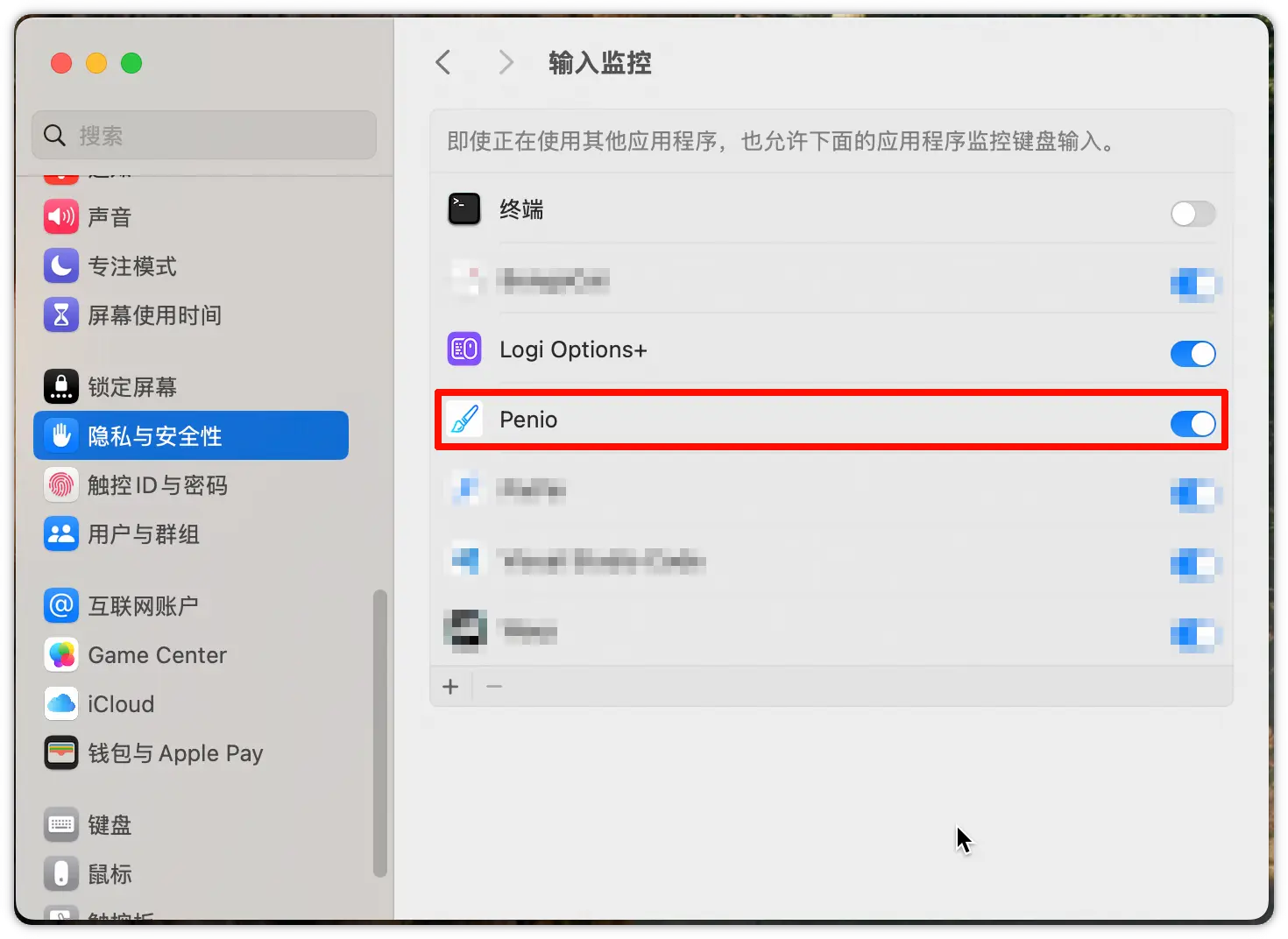
On macOS, please make sure you have granted Penio the Accessibility and Input Monitoring permissions. Follow these steps:
- Go to System Settings -> Privacy & Security, find Accessibility and Input Monitoring
- Make sure Penio is added and enabled
3. Ghost Title Bar Appearing at the Top
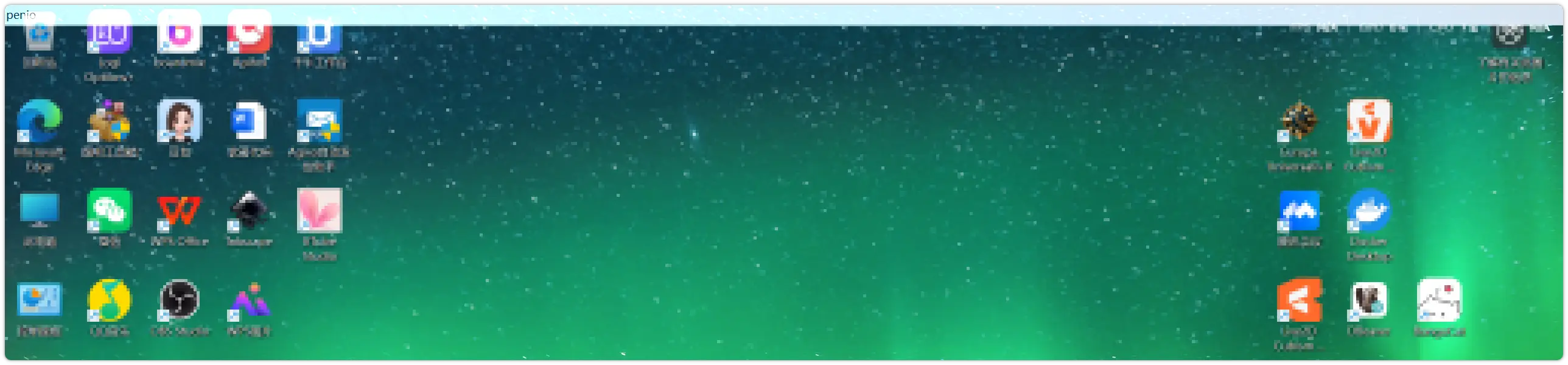
A ghost title bar appears at the top of the screen. This bug appeared in system version 26200.7623 and is caused by a recent Windows update to the webview2 component. We need to wait for Microsoft to fix it.
Temporary solution:
-
Press the toggle drawing mode shortcut (default Alt+`) to enter drawing mode
-
Press the toggle drawing mode shortcut again to exit drawing mode
-
The ghost title bar will disappear and Penio will return to normal